Kriston Waugh
Department of English, City College of New York
ENGL 21007: Writing for Engineers
Technical Description Final Draft: Raspberry Pi 4 Model B
Professor Sara Jacobson
April 2, 2025
The Raspberry Pi Foundation was created as a private company in 2008 and was registered as a charity in 2009 by professors at the University of Cambridge Computer Laboratory who noticed a decline in the skills of students applying for computer science courses.
The Raspberry Pi is a series of small, single-board computers created with the intention to help computer science students learn. According to the Wikipedia, “The original Raspberry Pi computer was developed by the Raspberry Pi Foundation in association with Broadcom” and was developed by the founder, Eben Upton, and his co-founders, Rob Mullins, Jack Lang, Alan Mycroft, Pete Lomas, and David Braben.
Figure 1: An overview of the Raspberry pi 4 Model B and its components
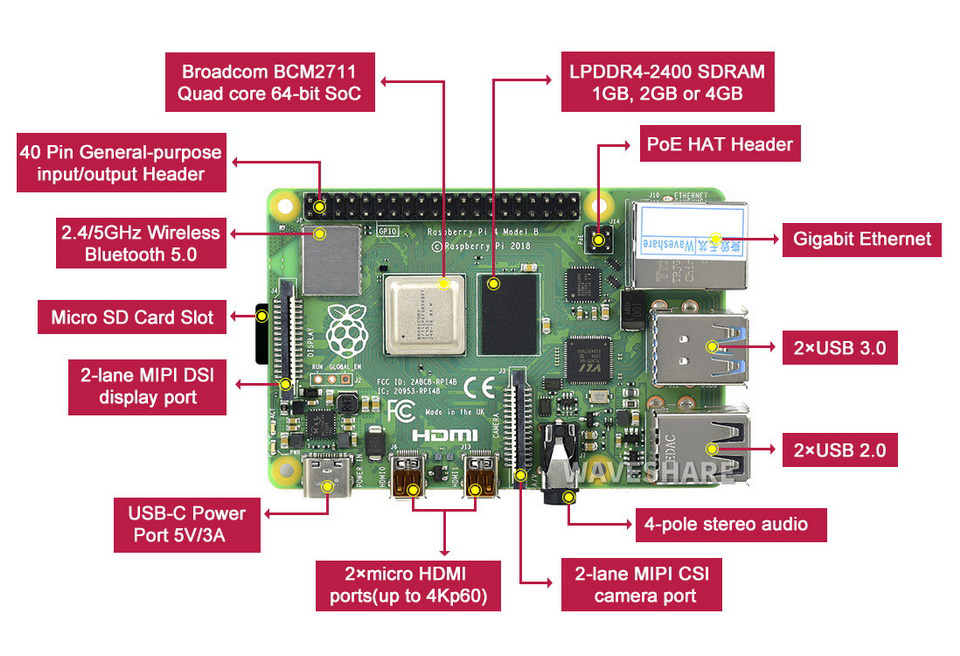
Note: Raspberry Pi 4 Model B Starter Kit, Micro SD Card, Heat Sink, Power Supply. (2025).
Waveshare.com. https://www.waveshare.com/pi4b-starter-kit.htm
According to Wikipedia, “The Raspberry Pi device attracted attention because they were fully fledged computers, but were small — some as small as a credit card — and inexpensive — with some of them costing as little as $35 as of 2024.” While the original intention was to help computer science students learn, many hobbyists started to use the single-board computer to build things like robots and gaming systems.
The Raspberry Pi has several different models ranging from the original Raspberry Pi to the Raspberry Pi 5. Along with other side products like the Raspberry Pi Zero and the Raspberry Pi Pico that aren’t as powerful as the Raspberry Pi line but come in at an incredibly affordable price.
For this technical description I will be talking about the Raspberry pi 4 model B. This specific model brought a lot of improvements from the models before it and helped gather a whole new audience of hobbyists during covid like me who were interested in tinkering with the computer and creating their own software or hardware inventions.
The Main Components
Central Processing Unit (CPU)
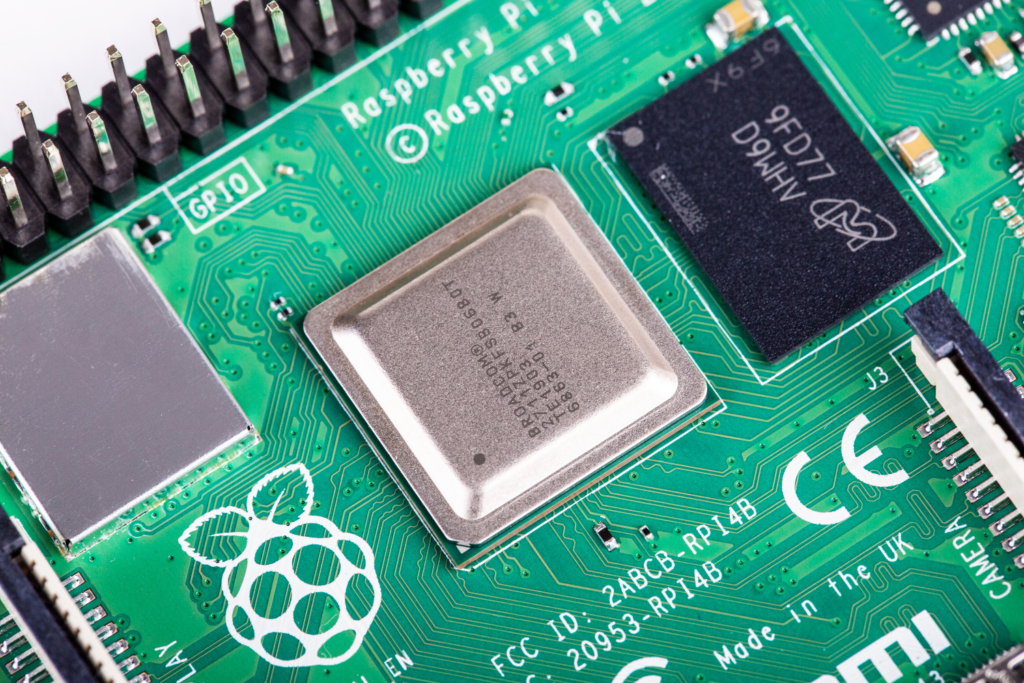
Let’s start with the most important component of the Raspberry Pi 4 Model B, the central processing unit (CPU). The Raspberry Pi 4 Model B uses an ARM Cortex-A72 processor architecture that supports both AArch64 (64-bit mode) and AArch34 (32-bit mode) for backwards compatibility for certain projects and software. The CPU also has quad-core support and a base clock speed frequency of 1.5 GHz, making it 50% faster than its predecessor, the Raspberry Pi 3B+.
Figure 2: A close-up shot of the Raspberry pi 4 Model B’s CPU
Note: Raspberry Pi 4 specs and benchmarks — Raspberry Pi Official Magazine. (2019, June 24).
Raspberry Pi Official Magazine. https://magazine.raspberrypi.com/articles/raspberry-pi-4-specs-benchmarks
The Broadcom BCM2711 processing unit allows for a multi-threaded three-channel memory system with L1 cache, L2 cache, and external RAM, but we will talk more about the RAM in the next section. The use of this new technology allows for cache coherency, which allows all the cores to see a constant memory state, preventing data corruption and reducing delays.
Random-access memory (RAM)
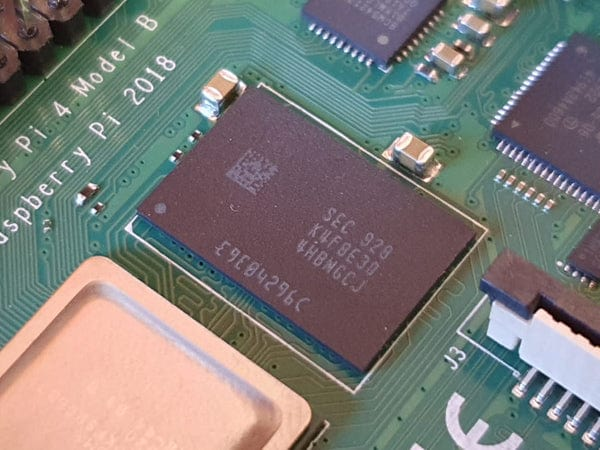
Another extremely important component of the Raspberry Pi 4 model B is the random-access memory (RAM). The Raspberry Pi 4 model B uses an LPDDR4-3200 memory that operates at a significantly higher speed than the LPDDR2-900 used in the Raspberry Pi 3, while offering 3 times the bandwidth. The dual-channel memory architecture allows flexible allocation of memory usage between the CPU and RAM, which then enhances applications like machine learning, web browsing, and video processing.
Figure 3: A close-up shot of the Raspberry pi 4 Model B’s Memory Module
Note: Which Raspberry Pi 4 RAM option do I have? (2024).
The Pi Hut. https://support.thepihut.com/hc/en-us/articles/360006049318-Which-Raspberry-Pi-4-RAM-option-do-I-have
Compared to earlier memory architectures like DDR3 and LPDDR2, DDR4 operates at a lower voltage and achieves twice the data rate of LPDDR3 by using differential signaling instead of single-ended signaling. This allows the LPDDR4 to reach speeds of 3200 MT/s (mega transfers per second) or higher compared to LPDDR3’s average 1600 MT/s. Instead of LPDDR3’s single 32-bit memory channel, the LPDDR4 uses two independent 16-bit memory channels; this increases efficiency and reduces idle power consumption.
Mico SD card slot
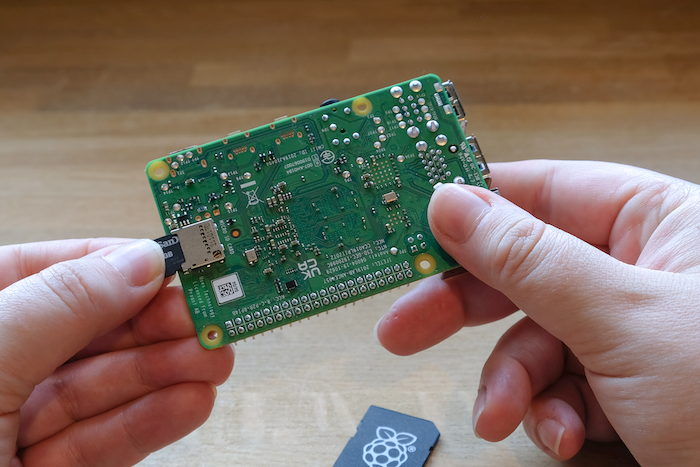
The Raspberry Pi 4 Model B’s primary storage and software booting devices come from an SD card. The SD card slot on the motherboard features an interchangeable card slot allowing different SD cards with different software and data stored on them to be accessed immediately on the Raspberry Pi 4 Model B. This allows users to store several different projects on multiple SD cards for one Raspberry Pi 4 Model B board.
Figure 4: A close-up shot of a person putting a micro SD card in the micro SD card slot
Note: Getting started with your Raspberry Pi
Www.raspberrypi.com. https://www.raspberrypi.com/documentation/computers/getting-started.html
External output components
Micro HDMI ports
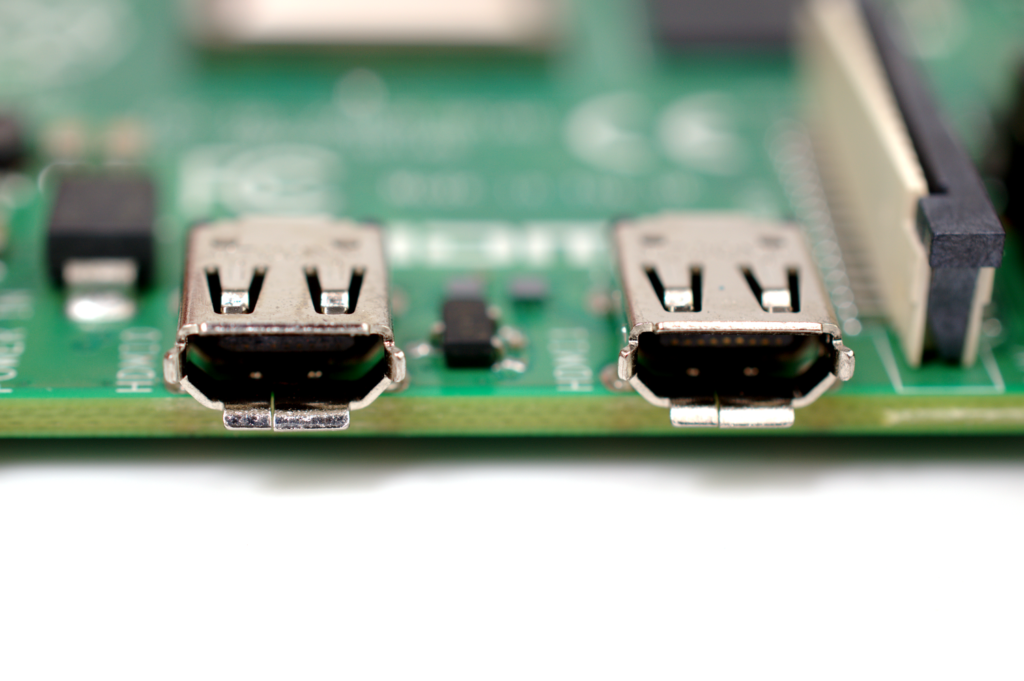
As a result of the Raspberry Pi 4 Model B’s small form factor, the motherboard uses micro-HDMI ports to conserve energy and space for other components. The video output from a single HDMI port is 4K 60fps, while using two of the HDMI ports results in 4K 30fps in dual display mode. The HDMI 2.0 interface allows a maximum bandwidth of 18 gigabytes and allows for a better refresh rate and better resolution. There are 8 audio channels, and they support Dolby Digital, DTS, and PCM audio formats.
Figure 5: A close-up shot of the Raspberry pi 4 Model B’s Micro HDMI ports
Note: Raspberry Pi 4 specs and benchmarks — Raspberry Pi Official Magazine. (2019, June 24).
Raspberry Pi Official Magazine. https://magazine.raspberrypi.com/articles/raspberry-pi-4-specs-benchmarks
USB-C Power
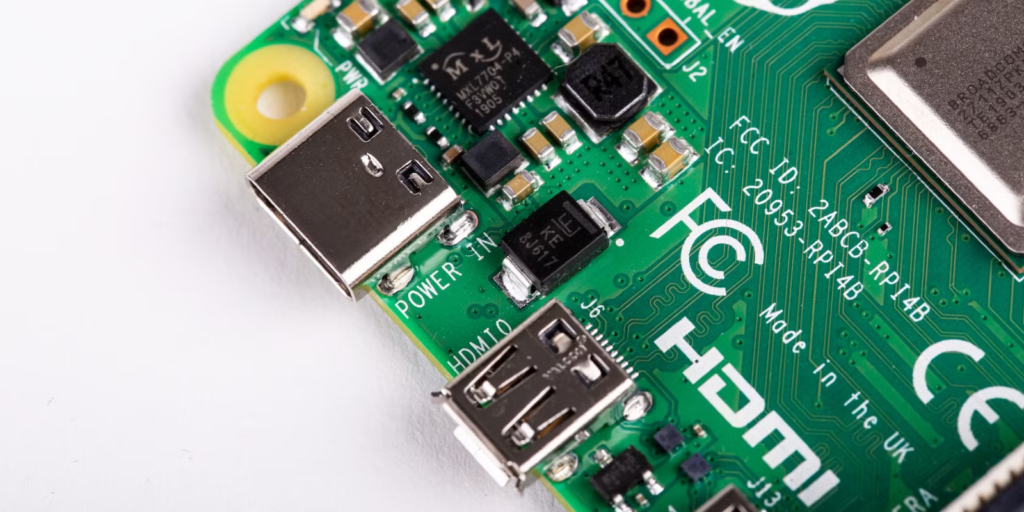
The Raspberry pi 4 model B uses a USB type C port that supports up to 100W of power for other devices like laptops, phones, and tablets. The Raspberry pi 4 model B uses a minimum power wattage of 5W and a maximum of 8W. The USB type C format allows devices to charge, power, and transfer data simultaneously without any loss of power.
Figure 6: A close-up shot of the Raspberry pi 4 Model B’s USB-C power port
Note: Tomisin Olujinmi. (2023, February 16). 5 Different Ways to Power a Raspberry Pi. MUO;
MakeUseOf. https://www.makeuseof.com/raspberry-pi-power-methods/
USB 2.0 and USB 3.0
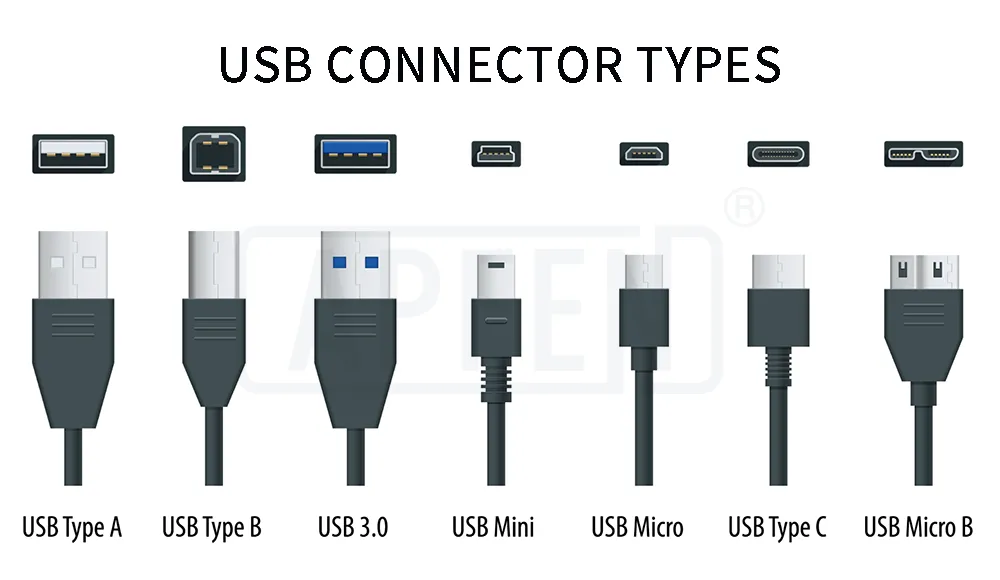
USB 2.0 (Universal Serial Bus 2.0) was introduced as an upgrade to USB 1.1 in April of 2000 as an improvement of both power delivery and data transfers. USB 2.0 uses connection types of USB Type-A, USB Type-B, Micro-USB, and Mini-USB. Some items that use USB 2.0 are keyboards, mice, and USB flash drives. The Raspberry Pi 4 Model B uses all these items in its ports to help transfer small files with the USB flash drives and uses the mouse and keyboard to navigate the OS built into the motherboard itself.
Figure 7: A comparison chart of the different types of USB connectors
Note: Detailed Explanation Of USB Connector Port Types | Apphone. (2023, September 6).
Apphone. https://www.szapphone.com/blog/usb-connector-types-guide/
USB 3.0 was the last substantial upgrade before USB Type-C, and it was introduced in November of 2008. USB 3.0 offered SuperSpeed (SS) mode, which enabled 5 Gbps per port, and full-duplex communication, which allowed simultaneous bidirectional data transfer.
Gigabit Ethernet and Wi-fi
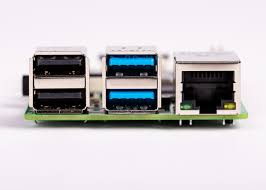
The Raspberry Pi 4 Model B’s ethernet port is a big improvement over the prior model, the Raspberry Pi 3B+. The method of implementing wired network connection in this model was ethernet over USB 2.0, which greatly reduced the bandwidth connectivity of the motherboard. However, the Raspberry Pi 4 Model B has a dedicated Ethernet port built into the PCIe bus, significantly improving the network performance.
Figure 8: A close-up shot of the Raspberry pi 4 Model B’s USB 2.0, USB 3.0 and Ethernet ports
Note: Raspberry Pi 4 specs and benchmarks — Raspberry Pi Official Magazine. (2019, June 24).
Raspberry Pi Official Magazine. https://magazine.raspberrypi.com/articles/raspberry-pi-4-specs-benchmarks
Along with Ethernet connectivity, the Raspberry Pi 4 Model B has wireless network connectivity or Wireless Fidelity (Wi-Fi). The motherboard supports dual-band Wi-Fi with 2.4 GHz with up to 150 Mbps and 5 GHz with up to 433 Mbps. This is a big upgrade compared to the Raspberry Pi 3B, which only had single-band Wi-Fi and only 2.4 GHz with max speeds of up to 72 Mbps.
3.5 mm analogue audio-video jack
The Raspberry Pi 4 Model B’s 3.5 mm analogue audio-video jack allows use of stereo analog output and composite video output. This port functionality allows users to connect their headphones and speakers for audio and older video displays for more retro displays that don’t have access to HDMI.
Figure 9: A close-up shot of the Raspberry pi 4 Model B’s 3.5 mm analogue audio-video jack
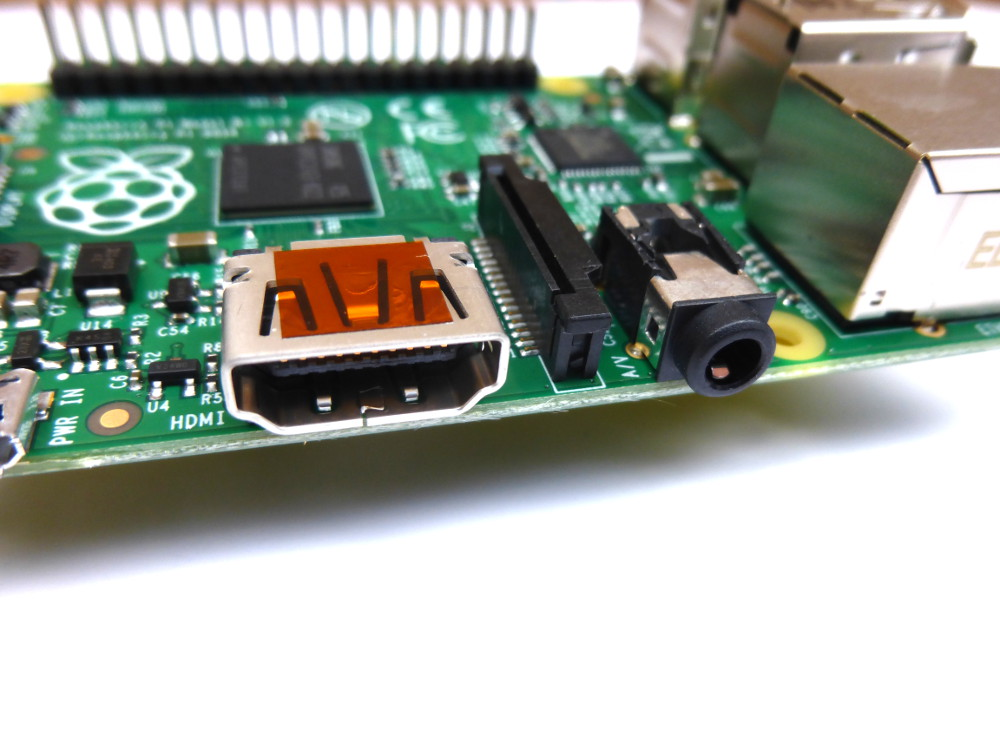
Note: Matt. (2014, July 22). Raspberry Pi 4-pole Audio/Video Jack. Raspberry Pi Spy.
https://www.raspberrypi-spy.co.uk/2014/07/raspberry-pi-model-b-3-5mm-audiovideo-jack/
Internal output components
2-lane MIPI CSI camera port
The Raspberry Pi 4 Model B features a 2-lane MIPI CSI (Camera Serial Interface) port designed for video and image capture with the addition of a compatible capture module for the slot. These cameras are often used in AI programs, object detection, navigation for robotics, wildlife tracking, and in the medical field.
Figure 10: A camera module being attached to the bottom of the motherboard via the 2-lane MIPI CSI
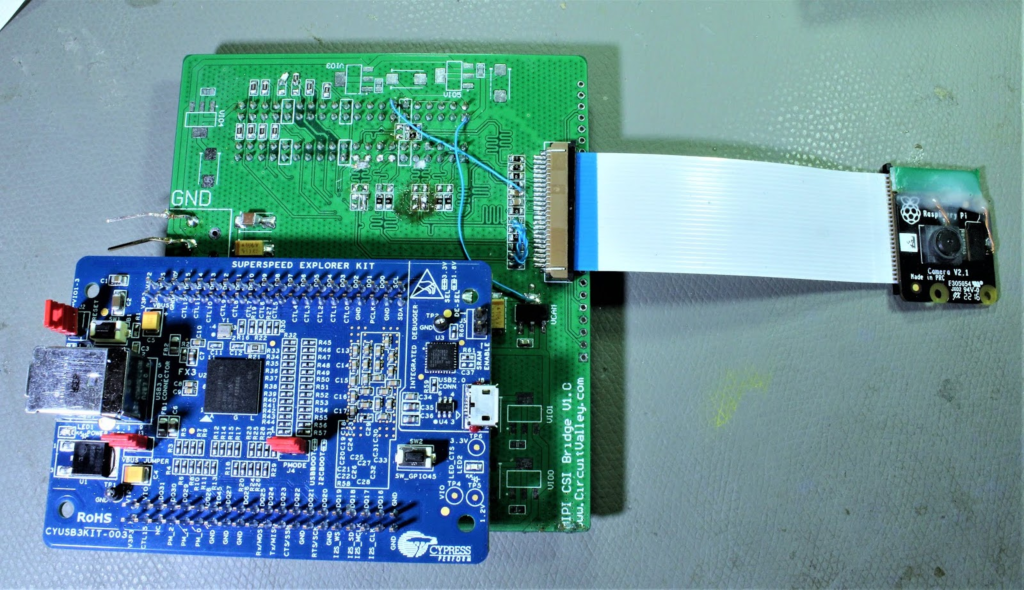
Note: Singh, G. (2020, February 15). DIY IMX219 4 Lane MIPI CSI Breakout Board, Getting MIPI CSI 4 Lane From Raspberry PI Camera. Circuitvalley.com; Blogger. https://www.circuitvalley.com/2020/02/diy-imx219-4-lane-mipi-breakout-board-raspberry-pi-camera-fpga-4-lane-mipi-csi.html
2-lane MIPI DSI display port
The Raspberry Pi 4 Model B features a 2-lane MIPI DSI (Display Serial Interface) port that provides access to compatible small LCD displays used for touch screen interaction and low latency graphics rendering. The port uses low-voltage differential signaling for high-speed and power-efficient data transfers. Dual-lane transmission was also used to allow higher frame rates and resolution.
Figure 11: A Display ribbon cable is being connected via the 2-lane MIPI DSI display port to a screen on the bottom
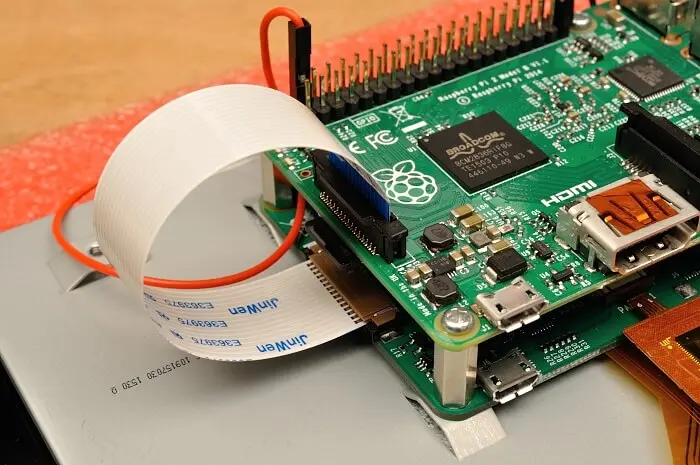
Note: HDMI/Micro-HDMI vs DSI – Raspberry Pi 4 Display Connectors. (2020, June 3). Latest Open Tech from Seeed Studio. https://www.seeedstudio.com/blog/2020/06/03/hdmi-micro-hdmi-vs-dsi-raspberry-pi-4-display-connectors-m/
Conclusion
The Raspberry pi 4 Model B has been regarded as a significant advancement in single board computing and offering a wide range of high-performance parts for an incredibly affordable price. With its Quad core CPU and Ram, it provides a versatile and powerful platform to learn and create in. Along with its other parts that help bring the computer together like the USB ports, HDMI ports, and Wi-Fi.
References
- Wikipedia Contributors. (2019, February 7). Raspberry Pi. Wikipedia; Wikimedia Foundation. https://en.wikipedia.org/wiki/Raspberry_Pi
- Ltd, R. P. (n.d.). For industry. Raspberry Pi. https://www.raspberrypi.com/for-industry/
- Raspberry Pi. (n.d.). Raspberry Pi 4 Model B specifications. Raspberry Pi. https://www.raspberrypi.com/products/raspberry-pi-4-model-b/specifications/
- Raspberry Pi 4 specs and benchmarks — Raspberry Pi Official Magazine. (2019, June 24). Raspberry Pi Official Magazine. https://magazine.raspberrypi.com/articles/raspberry-pi-4-specs-benchmarks
- Raspberry Pi ltd. (2021). Raspberry Pi 4 Computer Model B. https://datasheets.raspberrypi.com/rpi4/raspberry-pi-4-product-brief.pdf
- Raspberry Pi Documentation – Processors. (n.d.). Www.raspberrypi.com. https://www.raspberrypi.com/documentation/computers/processors.html

